
|
|
|
|
|
|
Techniques |
|
3. Put the best bit first The best bit is the more useful text. It's the bit that is the most helpful for the people who will use this content.
Move the most useful bit to the startLook for the bit that is most useful to the people you're writing for. Move it to the start. Move its headline, too. Decide whether to keep the best bit, the headline for the best bit, or both of them. Group bits by topicMove the other bits around so that everything on the same topic is grouped together. Don't worry about rewriting (yet)At this point you'll probably have too many bits and too many headlines. That's OK because you will be cutting out the unnecessary ones in the next step: 4. Slash everything else. |
|
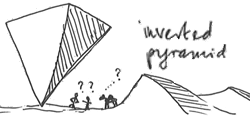
Some people use the term 'inverted pyramid principle' for what we call 'best bit first'. H. Pottker (2003) "News and its communicative quality: the inverted pyramid - when and why did it appear?" Journalism Studies, vol 4. no. 4
chapter 8: Announcing Your Topic with a Clear Headline chapter 9: Including Useful Headings |
© 2004 - 2024
Editingthatworks.com by
Caroline Jarrett is licensed under a
Creative Commons Attribution 4.0 International License.