
|
|
|
|
|
|
Techniques8. Launch and land on the same name
|
|
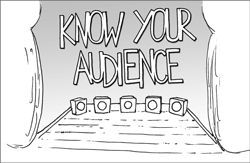
1. Decide on who and why Being clear about who you are writing for and why is essential for effective content.
Who are you writing for?Decide exactly who you are writing for. If you write for "just anyone", you'll end up writing for no-one. Why will they use what you create?Why are they reading? Is it for entertainment, to find something, to buy something? If it's an official or government site, are they required to use it or do they have any option? Where and when will they read it?When do they use it? Are they responding to something you sent them, or trying to do a task that they decided upon themselves? Are they at home, at work, or travelling? Will they be reading while doing something else, like talking on the phone? Will anyone be helping them? How will they read it?People read novels from beginning to end. That's reading for entertainment. At school, we were trying to absorb information to use it later, perhaps in an examination. That's "reading to learn". Reading to get information ("reading to do") is different. People skim and scan, deciding whether to read in a focused way or not. You can't change how they read, so edit to make it easy. What do you expect them to do next?What do you want people to do as a result of reading this? Does what you want them to do align with their reason for visiting this content? |
|
You don't need to repeat this step with every chunk of content. If you make sure that you have a really good grasp of who and why people will read what you write, then you'll be able to apply that to your whole project.
Think about a person who will use your writing. Give the person a name - I'll use X for the moment. Write a story starting: "X started the day by..." then fill in how X used your writing and whether that was important to X or not.
If your writing is for more than one type of person, select two contrasting ones. By thinking hard about what each person needs, you can often find something that works for both of them.
Thomas G Sticht (1975) "Reading for working : a functional literacy anthology" : Human Resources Research Organization, Alexandria, Va.
chapter 1: Content! Content! Content! chapter 2: Planning: Purposes, Personas, Conversations
|
© 2004 - 2024
Editingthatworks.com
by Caroline
Jarrett is licensed under a Creative
Commons Attribution 4.0 International License.